 AIPrOoHub
Home › Free Tools › Seller Net Sheet Calculator for Ohio
Free tool, no sign upSeller Net Sheet Calculator for Ohio
Enter the sale figures once. See what the seller keeps in Ohio, compare three offers by net, and print the sheet.
The Seller Net Sheet Calculator estimates what a seller actually keeps from a sale, after the mortgage payoff, commission, closing costs and credits come out. Agents enter the figures once, compare up to three offers side by side by net instead of headline price, run the net at five price points, and print a clean sheet for the listing appointment.
The calculator, up close
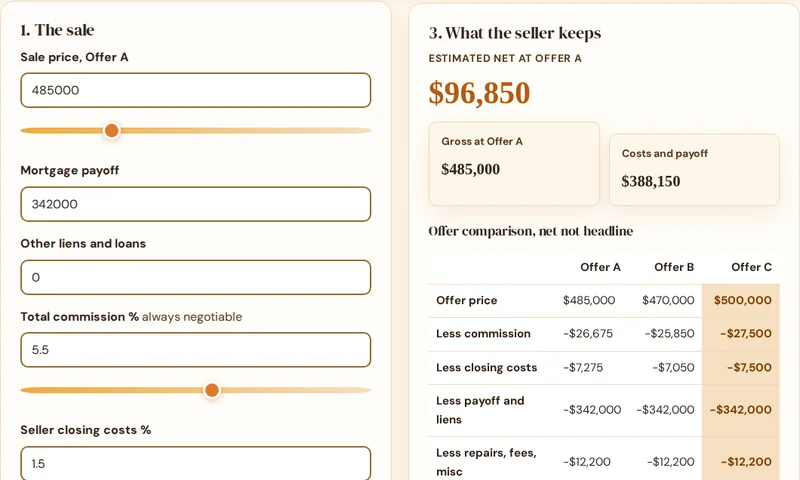
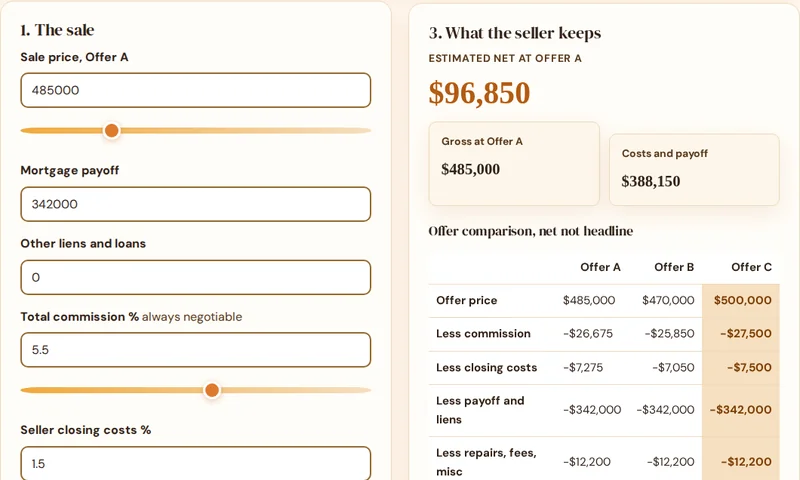
This is the calculator itself. Enter the sale figures once and see what the seller keeps, three offers compared by net, and the net at five prices.
On the sheet
1. The sale
2. Competing offers
Offers B and C use the same cost structure, so the table isolates what a headline price is really worth after costs.
3. What the seller keeps
Estimated net at Offer A
Walking into the appointment? The pack covers pricing, launch copy and follow up for the whole listing workflow.
Offer comparison, net not headline
| Offer A | Offer B | Offer C |
|---|
Sensitivity: the net at five prices
| Price scenario | Price | Estimated net |
|---|
Estimates only. Final figures come from the title company or closing attorney, and local taxes and fees vary. Commission is always negotiable.
Seller net sheet notes for Ohio
All figures on this page are estimates only. Final figures come from the title company or attorney at settlement, and local fees vary. The calculator above keeps the template example figures, including the prefilled transfer taxes and recording fees figure. Replace that figure with the verified figure for the actual sale before relying on the net.
Transfer tax
- Transfer tax: Ohio real property conveyance fee with a mandatory statewide fee of $1 per $1,000 of the value of the property transferred, which applies in every county.
- County permissive tax: individual counties may impose a permissive real property transfer tax of up to $3 per $1,000 of value. Not every county levies the full permissive amount, so the combined rate varies by county, from $1 per $1,000 up to $4 per $1,000.
- Worked example at the calculator example price: the mandatory state fee alone on $485,000 is $485. In a county levying the maximum $3 per $1,000 permissive tax, the combined fee is $1,940. Confirm the county permissive rate for the actual county before entering a figure.
- Who pays: Ohio law places the conveyance fee obligation on the grantor, the seller, and the fee must be paid to the county auditor before the deed can be recorded.
Recording fees
Recording fees: Ohio county recorders charge $34 for the first two pages of a document and $8 for each additional page, and counties may add a preservation surcharge of up to $5 per document, according to the Ohio Recorders Association figures cited in the closing guide used here.
Closing custom
Custom: the seller pays the conveyance fee by statute, and the fee is paid to the county auditor before recording. Title insurance custom varies by region in Ohio, with sellers customarily purchasing the owner policy in northern Ohio and the cost more commonly split or falling on the buyer in southern Ohio, but that custom is negotiable in the purchase agreement and is not a transfer tax figure.
What is the Ohio conveyance fee on a $485,000 sale?
The mandatory statewide Ohio conveyance fee on a $485,000 sale is $485, at $1 per $1,000. Counties may add a permissive tax of up to $3 per $1,000, so the combined fee can reach $1,940 in a county at the maximum. All figures are estimates only, and final figures come from the title company or attorney.
Sources
- Who Pays Closing Costs in Ohio: Buyers vs. Sellers Mandatory $1 per $1,000, county permissive up to $3 per $1,000, seller pays by statute to the county auditor before recording, recording fees $34 for first two pages plus $8 per additional page.
- Understanding Ohio Transfer Tax: A Quick Guide Statewide conveyance fee $1 per $1,000, counties may impose 1 to 3 additional mills.
Prepared by the AIPrOoHub Team.
The kitchen table tool that wins listings
Sellers do not experience a sale price. They experience a net: the check after the mortgage clears, the commission is paid and the costs come out. Yet most listing presentations talk price for an hour and net for a minute, which is why sellers anchor on the biggest number a neighbour mentioned and agents argue uphill. A net sheet flips the conversation to the number the seller actually lives with, and it does it with their figures, updated live, at their own table.
The multi offer comparison is the second half of the craft. When three offers land, sellers compare headlines and agents get dragged into emotional auctions. Net the three side by side and the real winner usually shows itself: the highest price with heavy credits often nets less than a clean offer slightly below it. That table, produced in two minutes while the seller watches, is worth more than a week of reassurance. Our seller net sheet guide walks through turning equity math into listing wins, in full.
Walk into the appointment with the full kit
Pricing from evidence, launch copy that grades well and follow up that books the next step: the AI Prompt Pack includes 209 prompts covering the whole listing workflow, from the first seller email to the post closing review ask.
Instant PDF download. 30-day money-back guarantee.
Commercial license, $68 (opens in new tab)
Refund help: [email protected]
How do you use a net sheet in a listing appointment?
What makes this net sheet built for listing appointments?
The Seller Net Sheet Calculator is built around three things you use in a listing appointment. A multi offer comparison that nets Offer A, B and C side by side, because sellers compare headlines and agents who net them win the argument. A sensitivity table showing the net at five price points, so the pricing conversation uses real money. And your name and your client's name printed on the sheet, so the page you leave behind looks like a professional document, not a website printout.
How accurate is the estimated net?
It is an estimate built from the figures you enter: payoff, liens, commission percentage, closing costs, credits, transfer fees and miscellaneous costs. Final numbers come from the title company or closing attorney at settlement, and local fees vary a lot. Use realistic closing cost percentages for your market and update the sheet when real quotes arrive.
Is the commission figure fixed?
No. Commission is always negotiable, and this sheet simply applies the percentage you type in. That is the point of the tool: change the percentage and the net updates live, so the conversation at the kitchen table is about real trade offs, not fixed assumptions.
How do I use the sheet in a listing appointment?
Bring it in three states. First, the sensitivity table opens the pricing conversation: here is your net at five prices, now let us talk about which one the evidence supports. Second, when offers arrive, the comparison table replaces headline price arguments with net reality. Third, the printed sheet with your name on it stays on their table after you leave, which is where listing decisions actually get made.
More free tools for agents
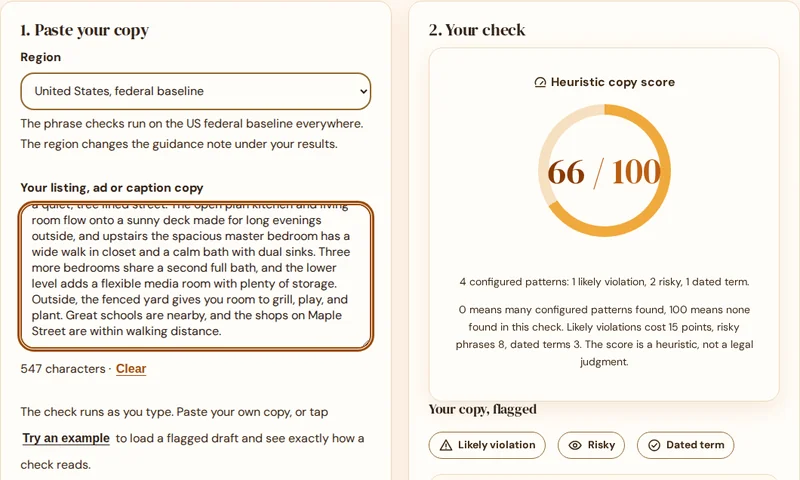
Fair Housing Compliance Checker
Flag risky phrases in any listing, ad or caption and get a property focused rewrite for each one.
Check my copy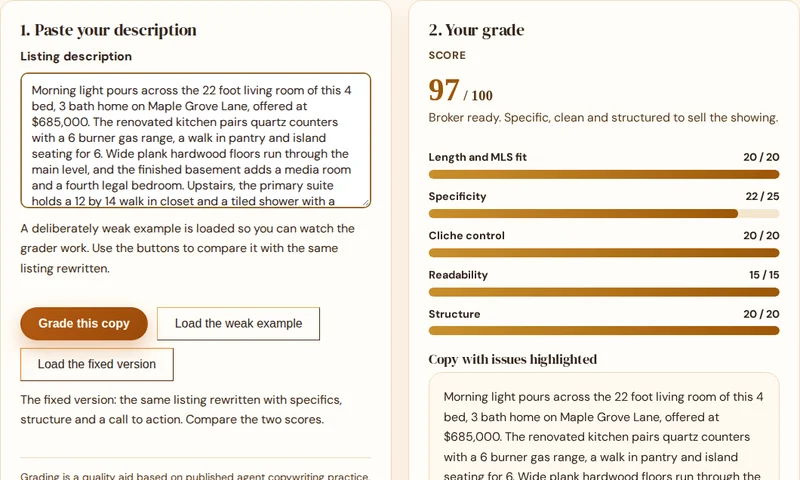
Listing Copy Grader
Score a description out of 100 and fix the weak spots with concrete, line by line fixes.
Grade my copy
Follow Up Sequence Builder
Day by day follow up for every lead type, with a ready to copy text and email message for every touch.
Build my sequence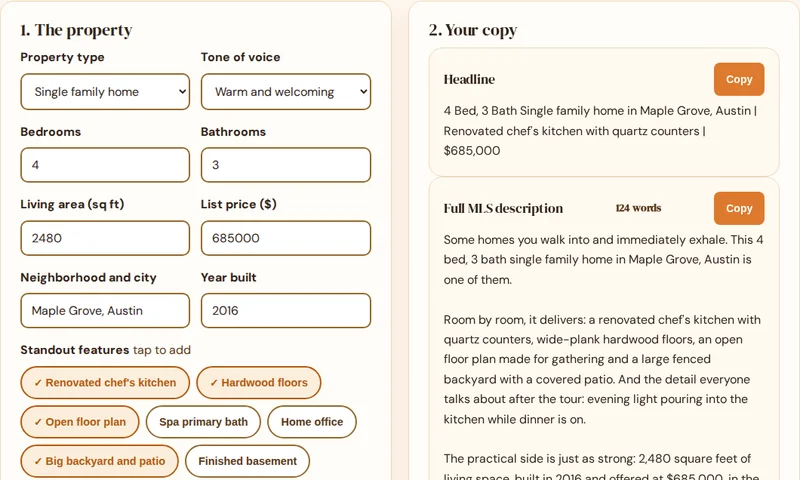
Listing Description Generator
Turn property specs into a full MLS description, a short portal version and a headline.
Generate a description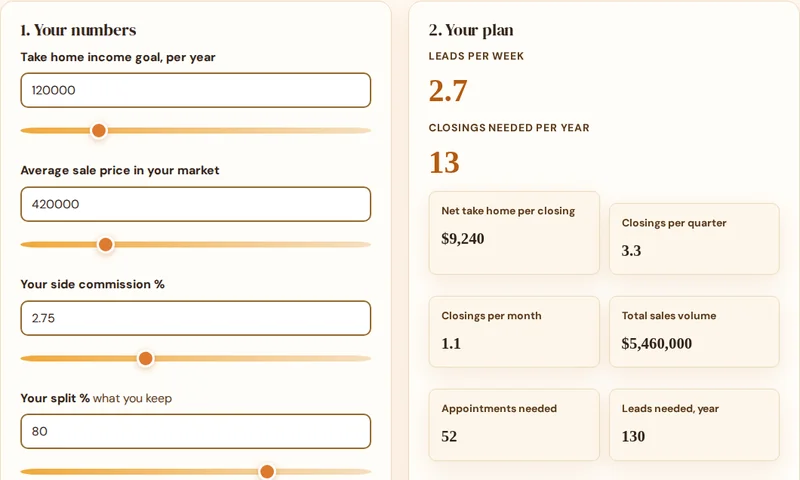
GCI Goal Planner
Work backwards from an income goal to the closings, appointments and leads per week it takes.
Plan my year- Fair Housing Compliance Checker
- Listing Copy Grader
- Follow-Up Sequence Builder
- Listing Description Generator
- Seller Net Sheet Calculator
- GCI Goal Planner
All six free tools
The checker is one of six free tools. See them all together on the tools hub: the grader, the follow up builder, the description generator, the net sheet calculator and the GCI goal planner.
See all six toolsAll six tools are free to use, with no signup. Open the tools hub to see them together.