 AIPrOoHub
Home › Free Tools › Listing Copy Grader: Score Your Description Out of 100
Free tool, no sign upListing Copy Grader: Score Your Description Out of 100
Paste your description. Get a score out of 100 and a fix for every weak spot.
The Listing Copy Grader scores a real estate listing description out of 100 across length, specificity, cliche control, readability and structure, so agents can see exactly what drags a draft down before it publishes. Paste the copy you already wrote and get highlighted weak spots, a missing elements checklist, a fair housing summary and a concrete fix for every issue the grader finds.
The grader, up close
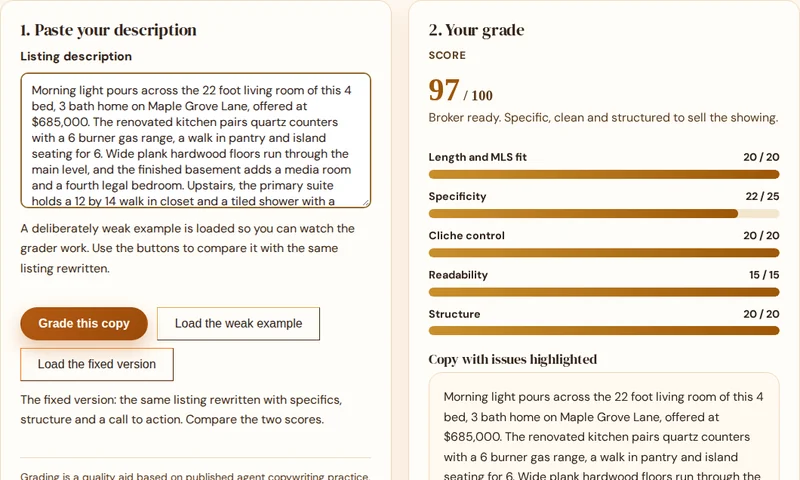
This is the grader itself. Paste a description and see the score, the highlighted weak spots and the fix for every issue.
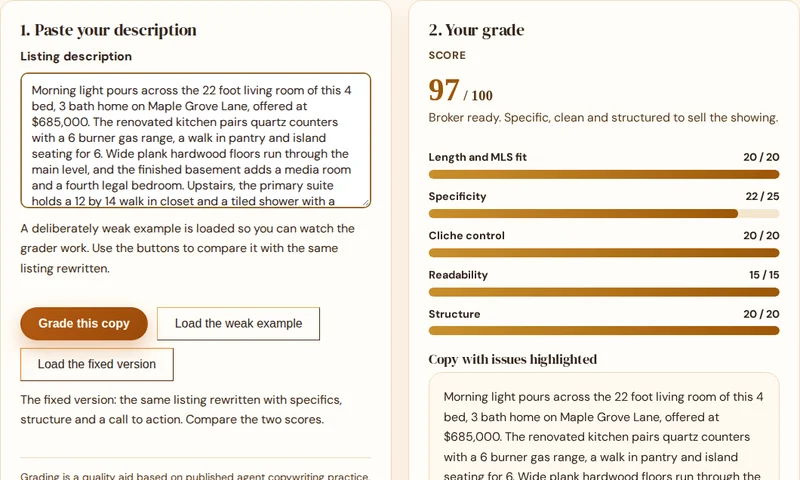
1. Paste your description
A deliberately weak example is loaded so you can watch the grader work. Use the buttons to compare it with the same listing rewritten.
Grading is a quality aid based on published agent copywriting practice. It is not a compliance opinion. For phrase level fair housing detail, use the Fair Housing Compliance Checker.
2. Your grade
Score
Want drafts that start in the top band? The pack listing frameworks force specifics and structure in from the first line.
Copy with issues highlighted
Amber marks are fluff and cliches. Rose marks are fair housing flags, summarized below.
Missing elements checklist
Fair housing summary
Issues and fixes
Why most listing copy grades under 60, and the three fixes that matter
Method, in the open
Read enough listing descriptions and a pattern emerges. The copy is not badly written, it is empty. Adjectives stand where facts should be: stunning instead of quartz, spacious instead of 22 feet, charming instead of the porch swing and the 1926 oak floors. Portals train buyers to skim, and empty adjectives are invisible at skim speed. Numbers, materials and measurements are what the eye catches, which is why specificity carries the biggest slice of this score.
The second pattern is structure. Weak copy lists rooms in walking order and ends with the price or nothing at all. Strong copy opens with a hook worth reading, moves to the features a buyer cannot get elsewhere, anchors the location with facts, and closes by asking for the showing while the listing is fresh. The third pattern is fluff density: one cliche is a style choice, nine in four sentences reads as noise, and buyers have learned to discount every word around them.
Fix those three and the grade follows. The systematic version of that fix is a prompt that forces specifics, structure and restraint at draft time, which is exactly how the AI Prompt Pack listing prompts are built. Grade your draft, fix it here once, then make the pack produce the fixed shape by default. See also our guide on writing MLS descriptions step by step.
Write copy that grades 90 plus, first draft
The AI Prompt Pack includes the listing frameworks that force specifics, structure and a call to action into every draft: 209 prompts for listings, ads, emails, social posts and follow ups, for ChatGPT or any AI assistant.
Instant PDF download. 30-day money-back guarantee.
Commercial license, $68 (opens in new tab)
Refund help: [email protected]
How does the grader decide your score?
How does the grader calculate the score?
Five transparent parts. Length and MLS fit out of 20, specificity out of 25 (real numbers, measurements, materials and named features versus empty adjectives), cliche control out of 20 (a banned fluff list drawn from agent prompt culture), readability out of 15 (sentence length), and structure out of 20 (hook opening, features, location anchor, call to action). The method is printed on the page, and every deduction comes with the fix.
Is a score of 100 realistic?
Yes, and it should be. A score of 100 means the copy is the right length, specific, clean of fluff, easy to read and structured to sell a showing. It does not mean the copy is magic. Most honest first drafts land between 45 and 75, and the gap is almost always missing specifics and missing structure, both fixable in minutes.
What is the difference between the grader and the compliance checker?
The checker answers is this copy safe to publish, phrase by phrase, with rewrites. The grader answers is this copy good enough to sell the showing, with a score and fixes. The grader includes a fair housing summary, but for a full phrase by phrase check with rewrites, run the same copy through the Fair Housing Compliance Checker.
Does the grader save or upload my listing copy?
No. The grading runs in your browser with a published rule set. Nothing is uploaded, stored or shared, which is also why the method can be fully transparent: you can read exactly what it rewards and what it penalizes.
More free tools for agents
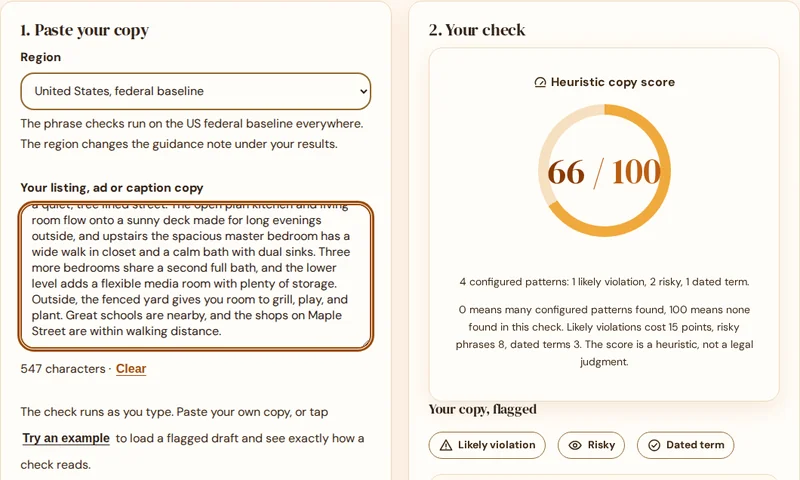
Fair Housing Compliance Checker
Flag risky phrases in any listing, ad or caption and get a property focused rewrite for each one.
Check my copy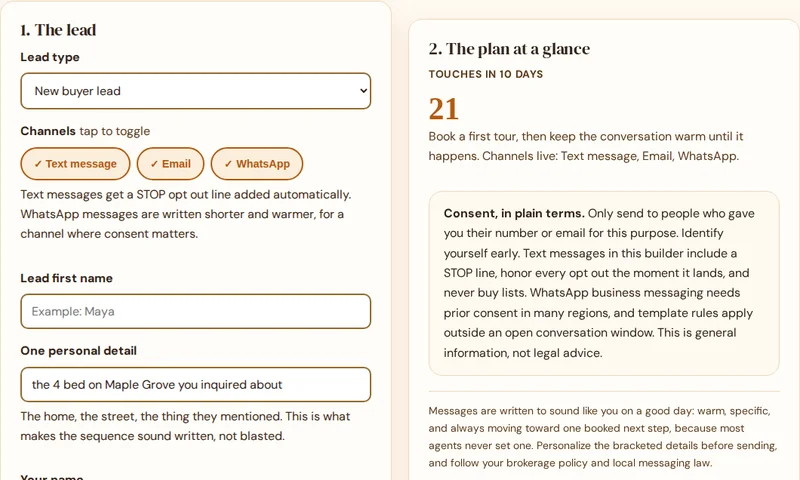
Follow Up Sequence Builder
Day by day follow up for every lead type, with a ready to copy text and email message for every touch.
Build my sequence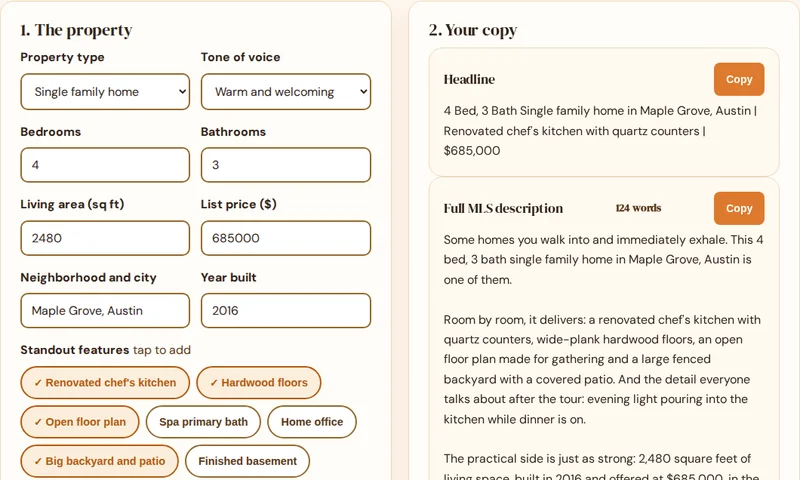
Listing Description Generator
Turn property specs into a full MLS description, a short portal version and a headline.
Generate a description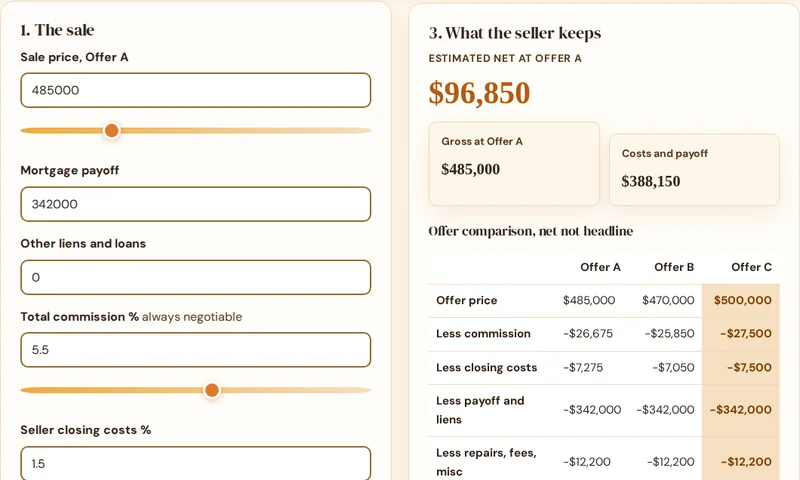
Seller Net Sheet Calculator
Estimate what a seller keeps, compare offers by net and print a clean sheet for the appointment.
Run a net sheet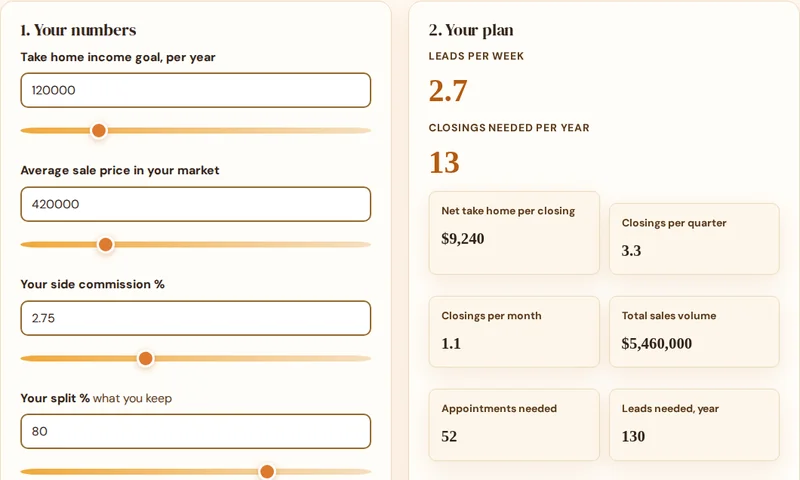
GCI Goal Planner
Work backwards from an income goal to the closings, appointments and leads per week it takes.
Plan my year- Fair Housing Compliance Checker
- Listing Copy Grader
- Follow-Up Sequence Builder
- Listing Description Generator
- Seller Net Sheet Calculator
- GCI Goal Planner
All six free tools
The checker is one of six free tools. See them all together on the tools hub: the grader, the follow up builder, the description generator, the net sheet calculator and the GCI goal planner.
See all six toolsAll six tools are free to use, with no signup. Open the tools hub to see them together.