 AIPrOoHub
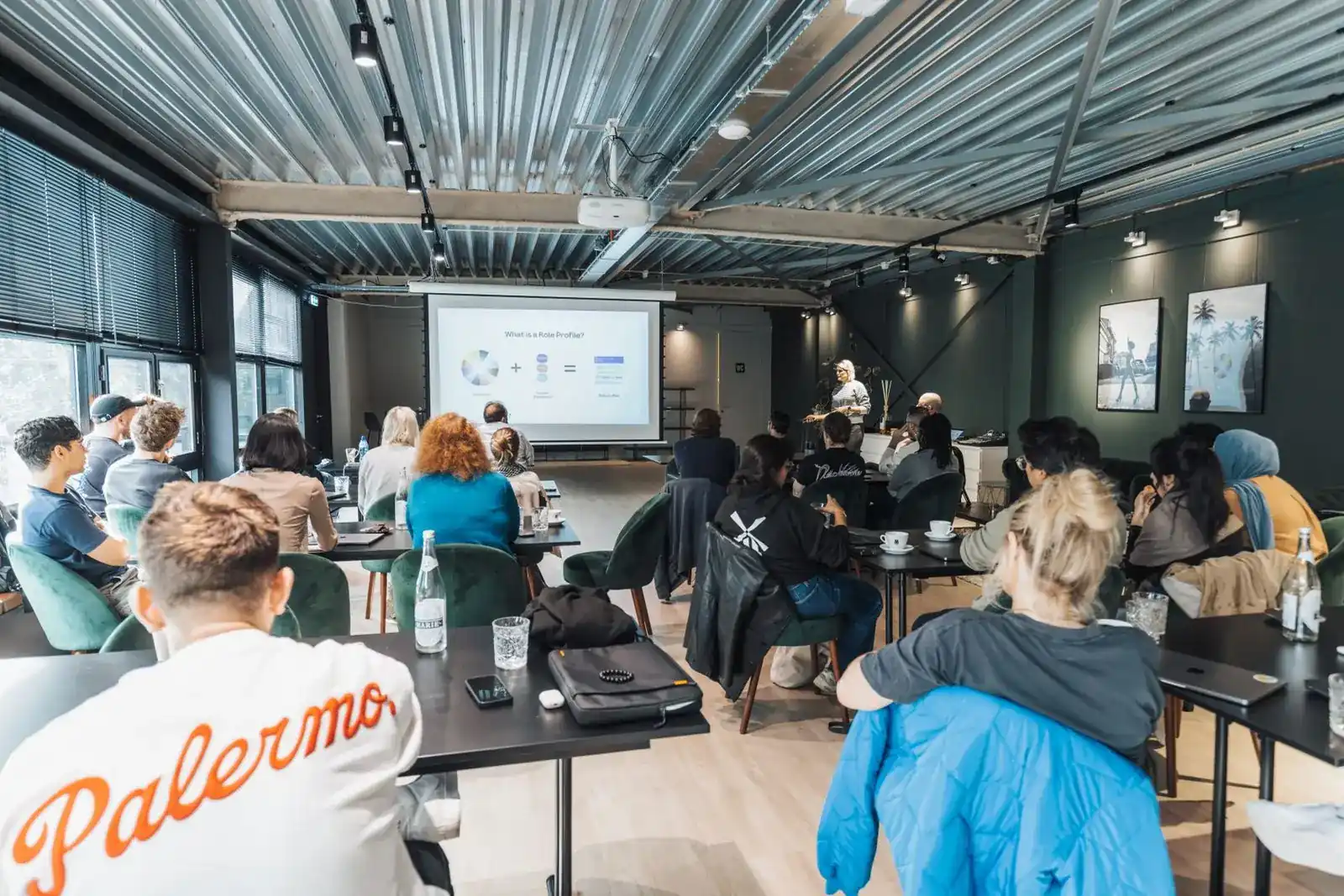
Real estate buyer seminars still work. Most agents just run them badly. Here is how AI handles the hard parts.
A well-run real estate buyer seminar is the closest thing to a pipeline machine an agent can build in a weekend. First-time buyers arrive nervous and uninformed, and they leave knowing you as the guide who made the process make sense. When they are ready to buy, sometimes six months later, they call the person who taught the class. The problem is everything around the seminar: picking a topic, writing the promo, building slides, drafting handouts, following up. That work eats a full week, so most agents run one, burn out, and never do it again. AI changes the math: planning that used to take days now takes an afternoon.
This article walks through the whole play: choosing a topic that draws first-time buyers, writing titles that fill seats, promoting across email, social, and partner channels, drafting slides and speaker notes, building an affordability worksheet, prepping for live Q&A, and running follow-up that turns attendees and no-shows into clients. Then it shows how one seminar becomes months of content.
Pick a Topic First-Time Buyers Actually Attend
Generic titles draw empty chairs. "Homebuyer Seminar" tells a renter nothing about why Tuesday night is worth their time. Topics that fill seats promise a specific answer to a specific fear.
The fears that move first-time buyers to register are consistent: "Can I actually afford to buy?" "How do down payment assistance programs really work in my state?" "What is my credit score doing to my mortgage options?" "What mistakes cost buyers the most money in the first year?" Pick one fear per seminar. If you pick the assistance angle, AI for Down-Payment Assistance Marketing: Reach the Buyers Who Need It covers the programs and the messaging. A 60-minute session that answers one question deeply beats a 90-minute session that skims five.
The topic validator
"I am a real estate agent in [city/state]. Suggest 5 homebuyer seminar topics for first-time buyers about urgent, specific fears: affordability, credit, or down payments. For each, give: the fear it answers, a plain-language title, and one sentence on why local renters would attend. Rank by likely registration rate. No generic topics like 'Homebuying 101.'"
Why it works: it forces specificity (one fear, plain language) and local relevance. That is what separates a full room from a quiet webinar.
Write Titles and Descriptions That Fill Seats
The title is the ad. Great seminar titles name the audience ("first-time buyers"), promise a concrete outcome ("know your real budget"), and read like a workshop, not a sales pitch.
Compare: "Homebuyer Seminar With Jane Agent" versus "Can You Afford to Buy in [City]? Find Your Real Number in 60 Minutes." The second answers "what is in it for me" in one line.
The seat-filling title and description pack
"Write 5 event titles for a free 60-minute homebuyer seminar in [city] for first-time buyers about [topic]. Each title must name the audience, promise one concrete takeaway, and sound like a workshop, not a sales pitch. Then write a 150-word event description for the best title: what attendees will learn (3 bullets), who should attend, who should not, date/time/format, and a registration call to action. Tone: warm, plain, honest."
Why it works: the "who should not attend" line filters out the wrong crowd, which makes the right crowd feel the seminar was built for them.
Promote Like It Is a Listing: Email, Social, Partners
A 30 to 40 percent show rate is normal, so registration volume is the goal. A seminar with 40 registrations and 15 attendees beats one with 12 and 12.
Three channels do the work:
Email. Your database is the highest-converting channel you own. Send three emails: the announcement (three weeks out), the agenda detail (one week out), and the reminder (the morning of). Renters and past inquiries who never bought are your best audience.
Social. Post the title and one surprising stat from the seminar. Short video of you explaining one takeaway outperforms a flyer graphic every time.
Partner cross-promo. A lender or credit counselor will happily promote your seminar to their audience if you let them co-present or sponsor the snacks. Their audience is pre-qualified and warm, which makes this the single highest-leverage move on this list.
The three-email promo sequence
"Write a 3-email promotion sequence for a free homebuyer seminar: [title], on [date] at [time], [in person at venue / live on Zoom]. Email 1 (3 weeks out): announcement with the main promise and one urgent stat. Email 2 (1 week out): the agenda as 3 bullets, speaker credentials, social proof. Email 3 (morning of): short reminder with the registration link, parking or login details, and what to bring. Each under 150 words, warm and direct, one call to action."
Why it works: it bakes in the cadence most agents skip. The final reminder alone typically recovers a third of registrations.
Draft Slide Outlines and Speaker Notes With AI
The structure that works for a 60-minute buyer seminar is fixed: hook (5 min), core teaching (35 min, three main points), myth-busting (10 min), offer and next step (10 min). Give AI that structure and your topic, and let it fill the skeleton.
The seminar slide and notes builder
"Build a slide outline for a 60-minute first-time homebuyer seminar in [city] on [topic]. Structure: 5-minute hook with one surprising local stat, three main teaching points (35 minutes) each with 2 supporting slides, 10 minutes myth-busting the 3 most common wrong beliefs about [topic], and a 10-minute close with a soft call to action (a free 20-minute affordability review). For each slide give: title, 3-4 bullets max, and one speaker note (2-3 sentences, warm conversational tone). Mark every place where I must insert local data with [INSERT]."
Why it works: the [INSERT] markers are the whole trick. They force you to add the local facts AI cannot know, which is what makes the seminar feel expert rather than generic. Never present AI-generated stats without replacing them.
Build Handouts and an Affordability Worksheet
The handout is what sits on their kitchen table for three months with your name on it. Keep it to one page: an affordability worksheet where attendees plug in their own numbers and walk out with a personal answer. Pair it with a full AI Buyer Education Packets That Build Trust (2026) so attendees leave with the whole buying process explained, not just the worksheet.
Structure it in four blocks: income and debts with blank lines, a simplified debt-to-income calculation with a worked example, the assistance programs checklist, and a next-step box with your contact info and a QR code to book.
The affordability worksheet generator
"Create a one-page affordability worksheet for first-time homebuyers in [state], fillable by hand. Sections: (1) monthly income and debts with blank lines, (2) a simplified debt-to-income calculation with a worked example, (3) a checklist of [state]'s main down payment assistance programs with one-line eligibility notes and where to apply, (4) a 'your next step' box with a blank for my contact info and QR code. Plain language, no jargon. Mark anything I must verify with [VERIFY]."
Why it works: the worked example turns a scary calculation into a fill-in exercise, and [VERIFY] markers keep you honest on program details that change.
Prep for Live Q&A Before Anyone Asks
A confident, specific answer to "what if my credit score is 580?" makes you the expert in the room. Buyers ask the same fifteen questions everywhere, so prepare for nearly all of them. Ask AI to generate the likely questions for your topic, then write your answers yourself. AI predicts the questions; the answers have to sound like you.
The Q&A battle plan
"List the 15 questions first-time homebuyers are most likely to ask during a seminar on [topic] in [state]. Include the uncomfortable ones: low credit scores, job gaps, co-signing, unmarried partners buying together, and 'is now a bad time to buy.' For each, give: the real concern behind it and 2-3 talking points for my answer. Do not write my full answers, just the talking points. Flag any question that depends on current rates or programs with [CHECK CURRENT]."
Why it works: it deliberately includes the uncomfortable questions agents hope nobody asks, which are exactly the ones that build trust when answered well.
Follow Up: Attendees vs No-Shows
The seminar is the beginning of the pipeline, not the end. The money is in the follow-up, and each group needs a different sequence. Build both tracks with the Follow-Up Sequence Builder so the attendee and no-show emails run themselves after the event.
Attendees are warm. They met you, they did the worksheet, they trust you. Follow up within 24 hours: a thank-you email with the slide deck and worksheet PDF, a personal text the next day, and an invitation to book the free 20-minute affordability review. The goal is the review, and the review is where buyer consultations start.
No-shows registered but did not attend. Do not guilt them; life happened. Send the recording or the slide deck with a one-line "sorry we missed you," then a shorter nurture sequence: two value emails over two weeks, then the invitation to the next seminar.
The dual follow-up sequence
"Write two follow-up email sequences for a homebuyer seminar. Sequence A (attendees, 3 emails): the morning after (thank you, slide deck, link to book a free 20-minute affordability review), three days later (answer the top Q&A question in 100 words, re-invite to book), one week later (one local market update for first-time buyers, final booking invitation). Sequence B (no-shows, 3 emails): the morning after ('sorry we missed you,' recording or slides, no guilt), one week later (one useful down payment assistance tip for [state]), two weeks later (invitation to the next seminar). Each email under 120 words, warm tone, one call to action."
Why it works: the two sequences respect the different temperatures of the two groups. Attendees get nudged toward the booking; no-shows toward the next event.
Turn One Seminar Into Months of Content
Schedule the repurposed content across the eight weeks after the seminar, and run the next one in week nine. Content from seminar one promotes seminar two. That is the flywheel.
The repurposing engine
"Here is the transcript of my 60-minute homebuyer seminar on [topic]: [paste transcript]. Create: (1) 10 social media posts, each built around one specific moment or quote, with a hook in the first line; (2) 3 email newsletter sections, each expanding one teaching point into 150 words; (3) 5 FAQ entries for my website's buyer page; (4) 5 short-form video script ideas with the hook, the one point, and the call to action. Keep my plain, warm tone. Do not invent facts I did not say."
Why it works: the "do not invent facts I did not say" line keeps every piece anchored to what you actually taught, which protects your credibility.
Frequently Asked Questions
How often should I run buyer seminars?
Monthly if you can sustain the promotion, quarterly at minimum. Each seminar seeds your pipeline for four to six months, so quarterly keeps it full year-round.
Should buyer seminars be in person or webinars?
In person builds stronger trust and higher booking rates; webinars draw bigger registrations and cost nothing to host. Starting out, run webinars to learn what lands, then move the proven topic in person.
How long should a real estate buyer seminar be?
Sixty minutes of teaching plus fifteen for Q&A. End on time. Ending on time is itself a trust signal.
What do buyer seminars cost to run?
A webinar costs nearly nothing beyond your time and a small ad budget. In person, a lender or title partner will often host free, and sponsor support usually covers printing and refreshments.
How do I measure whether a seminar worked?
Track registrations, show rate, and 20-minute review bookings within two weeks. The bookings are the real conversion. One closed buyer typically pays for a year of running them.
The Shortcut
If you want every prompt in this article plus 200 more, ready to copy and paste, the AI Prompt Pack for Real Estate Agents is the shortcut: seminar and webinar planners, follow-up sequences, social captions, affordability explainers, and objection handlers, all written for how agents actually work.
Get the AI Prompt Pack, $39, instant download →
Related reading: AI for Buyer Agents: Consultation to Close · First-Time Buyer Education Packets With AI · Open House Marketing AI Playbook
Get the AI Prompt Pack, $39, one time (opens in new tab). 209 prompts that write listings, ads and follow-ups like these, ready to paste.